Legal practice management
Your practice.
In your hands.
Open a matter before a client call. Check the next date, review an associate's submission and see what needs your decision. Willow connects the legal work and the business of your firm, at your desk or on your phone. We handle your firm's agreed setup and guide your team through launch.
Questions first? Send them below.
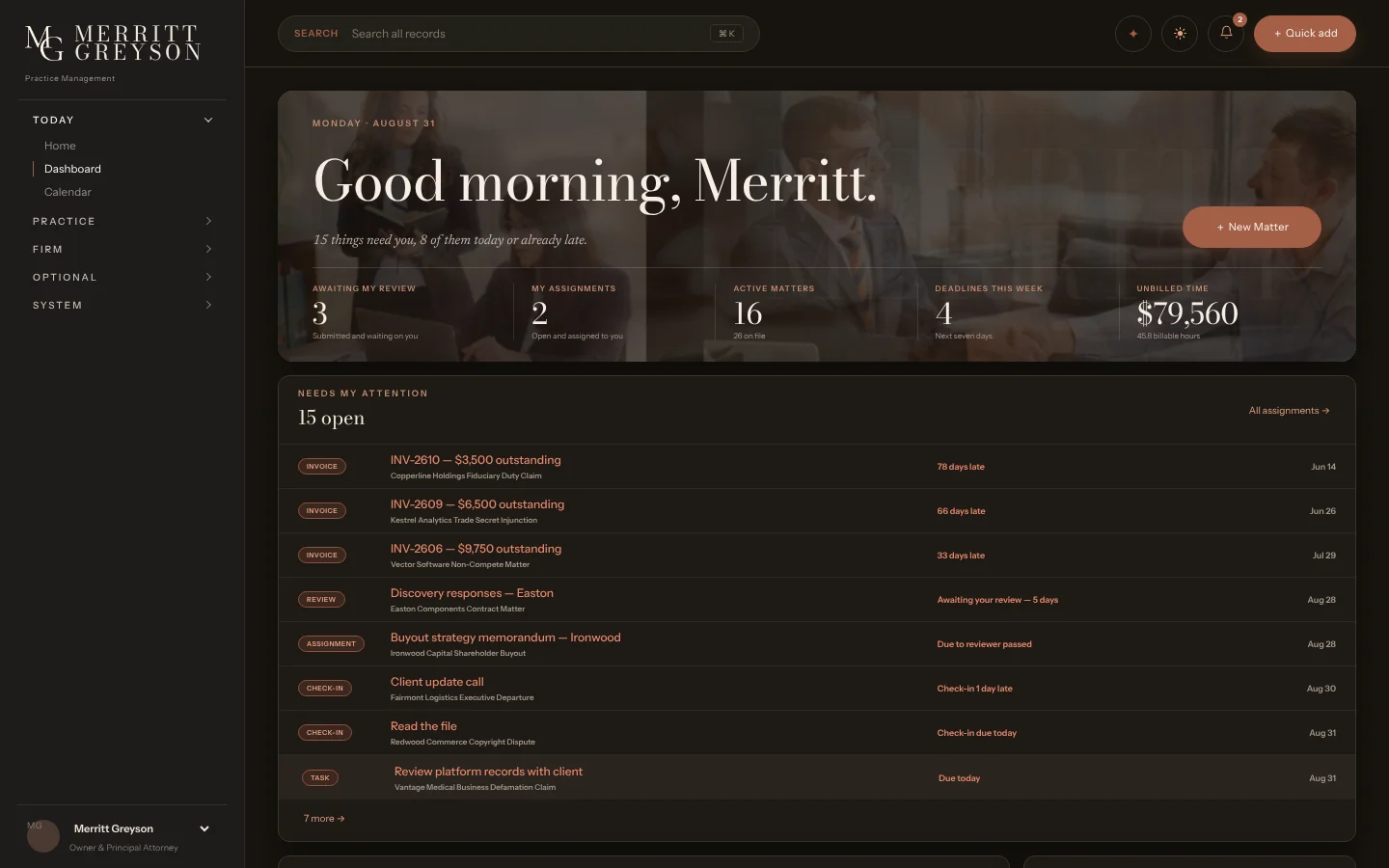
Shown with Merritt Greyson, a demonstration firm. Every client, matter and figure is fictional.
The managing attorney's morning
Start with today's work.
Before the first appointment, open the work that needs your attention. See approaching dates, assignments ready for review and the matters that need a decision.
Choose an item on the dashboard to open the work behind it. Move straight into a matter, a review or a time record.

The practice, connected
From inquiry to matter.
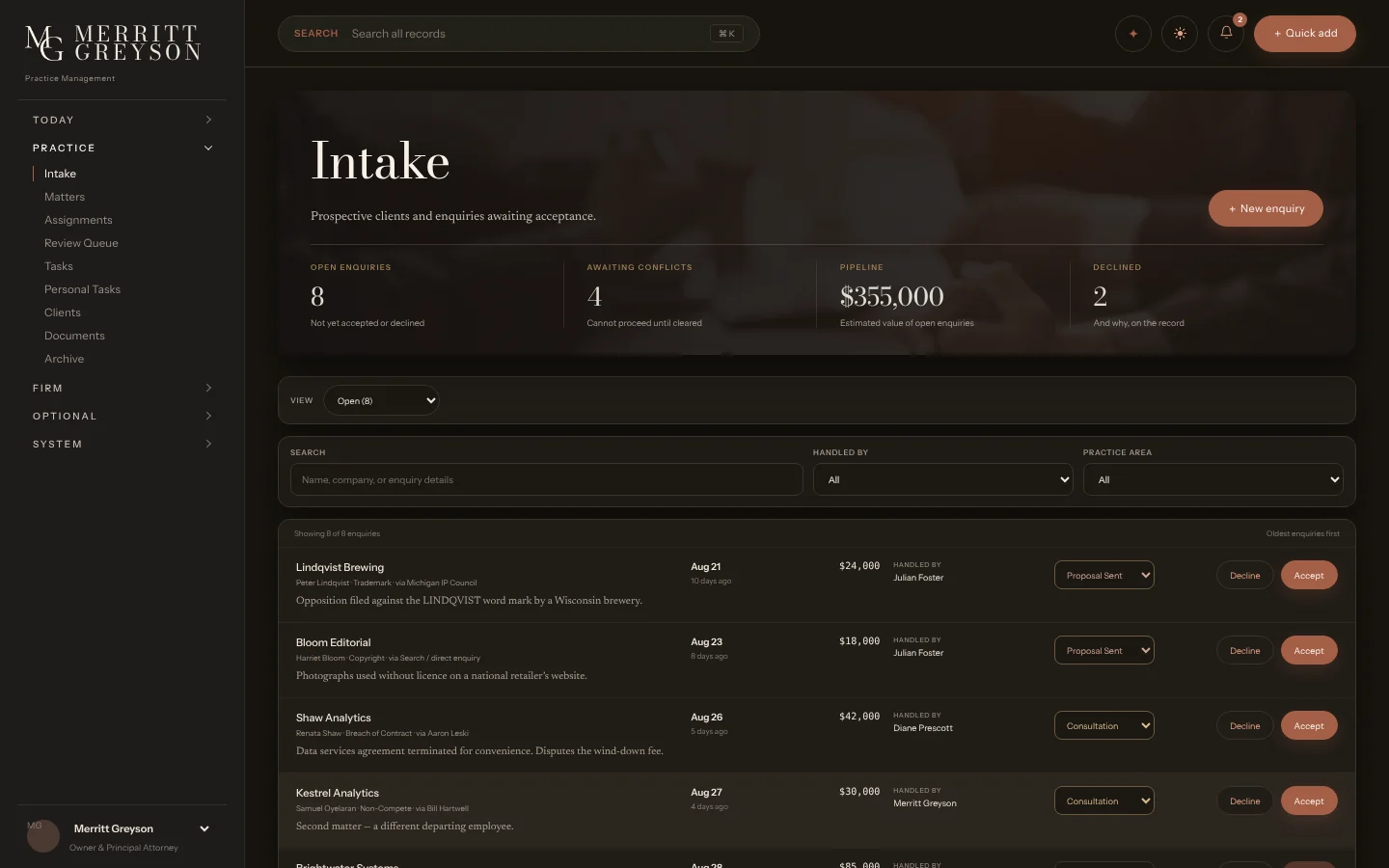
Follow a client inquiry through matter opening, legal work, review and reporting. The matter keeps the relevant people, dates, document records and time together.
Open the matter. See the whole file.
Each matter carries its parties, caption, court and case number, opposing counsel, phase, key dates, assignments, documents and time in one place.
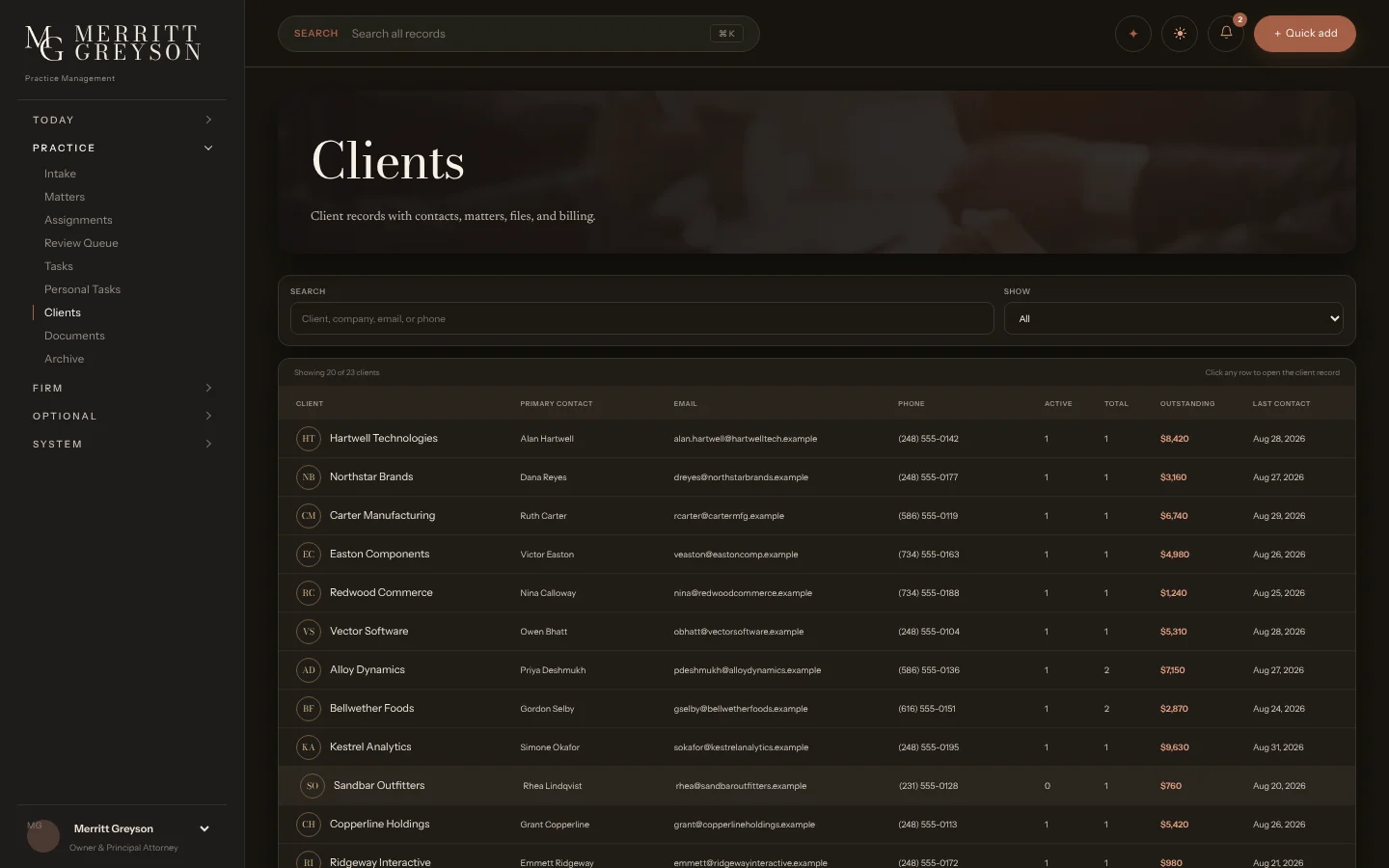
Find a file by client, case number, practice area or status. Open it with the context you need for the next conversation.
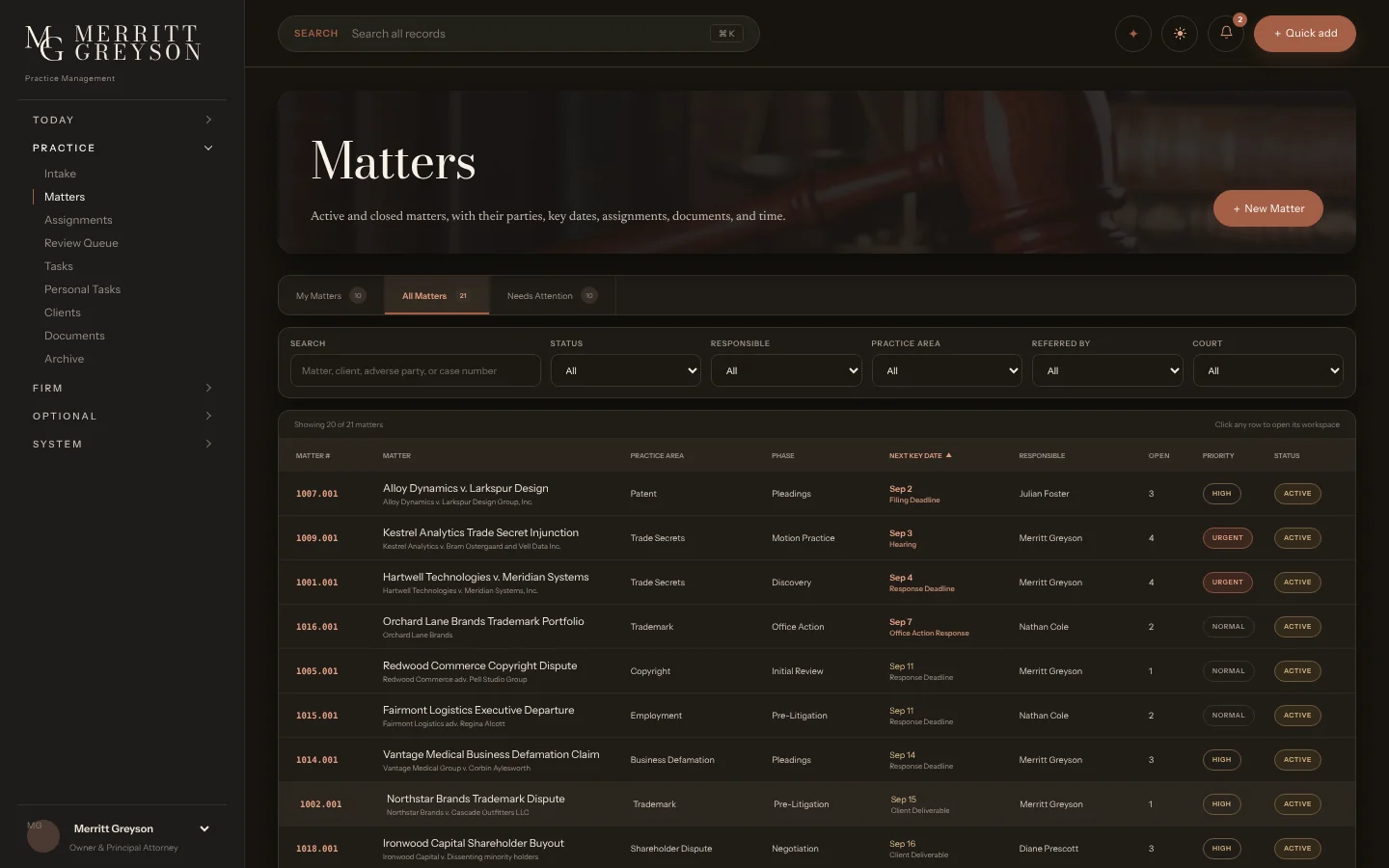
Open a matter, see the next action.
The workspace names the responsible, supporting and originating attorneys, the current phase and the next key date.
Check the next major action before a client call. The dates and the people responsible stay with the file.
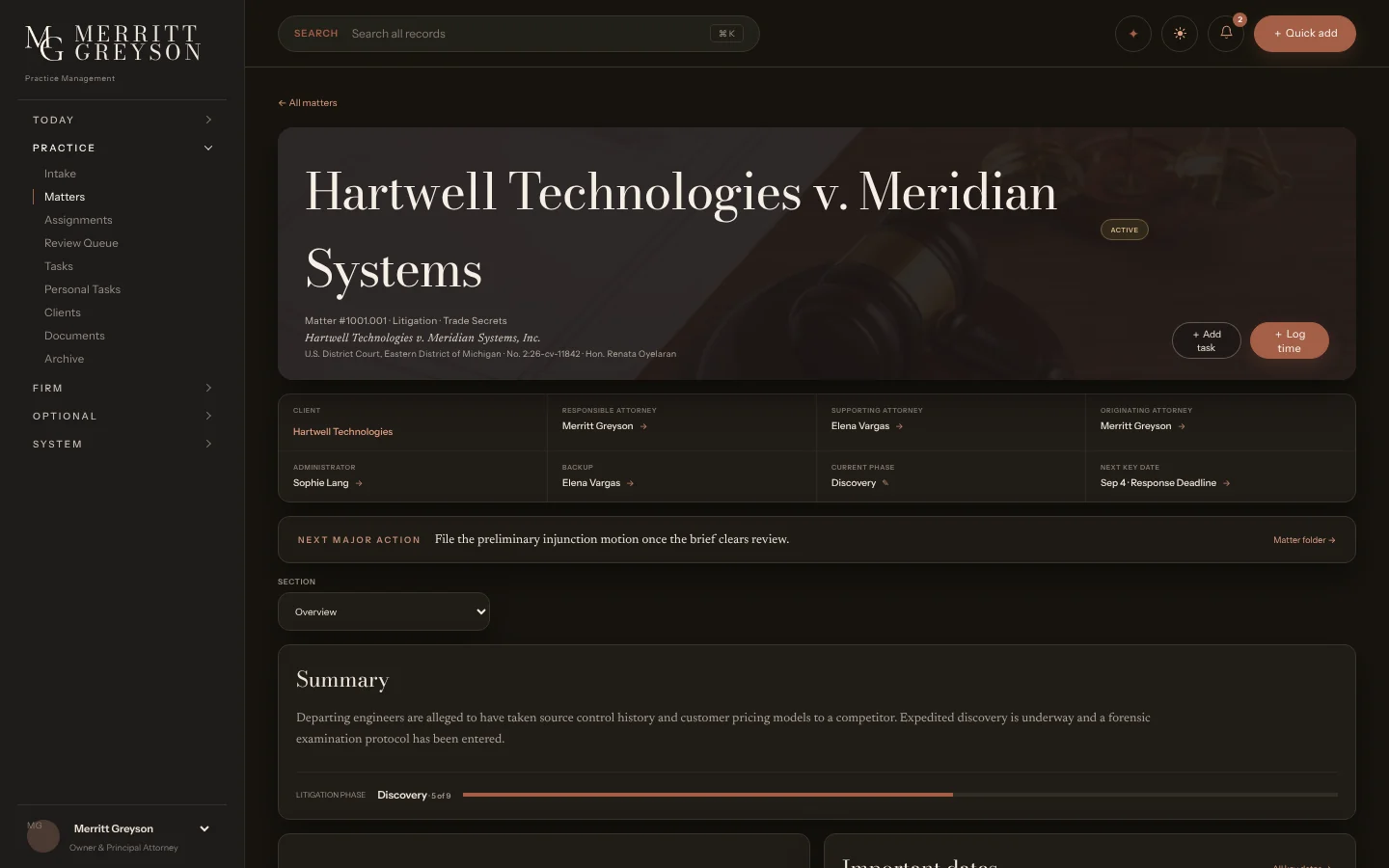
Know where delegated work stands.
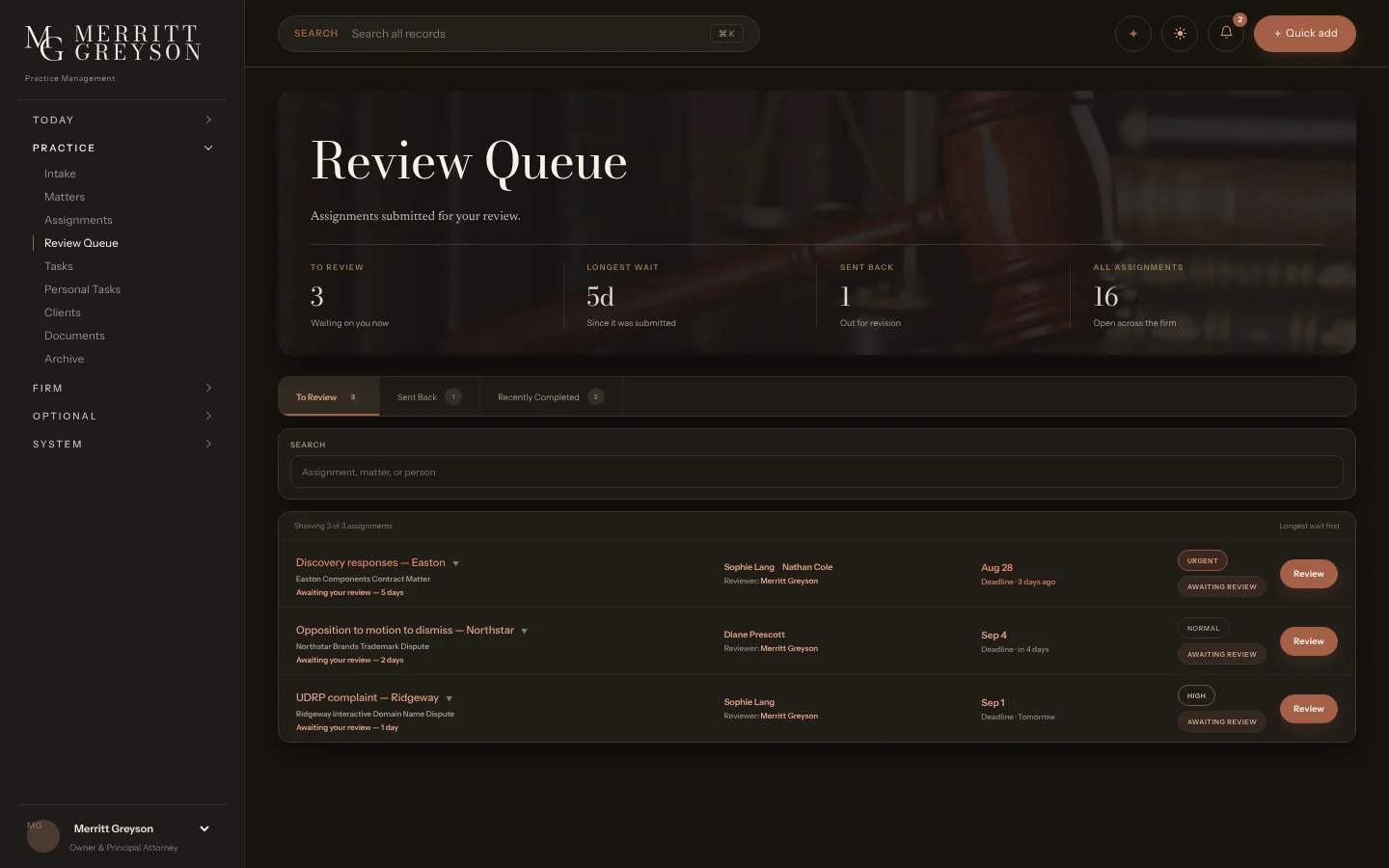
When an associate prepares a motion or a paralegal assembles discovery, define the deliverable, assign the work, name a reviewer and set the deadline.
Review submitted work against the original instructions, request revisions or approve it. Keep matter-linked tasks and personal tasks in their own workspaces.
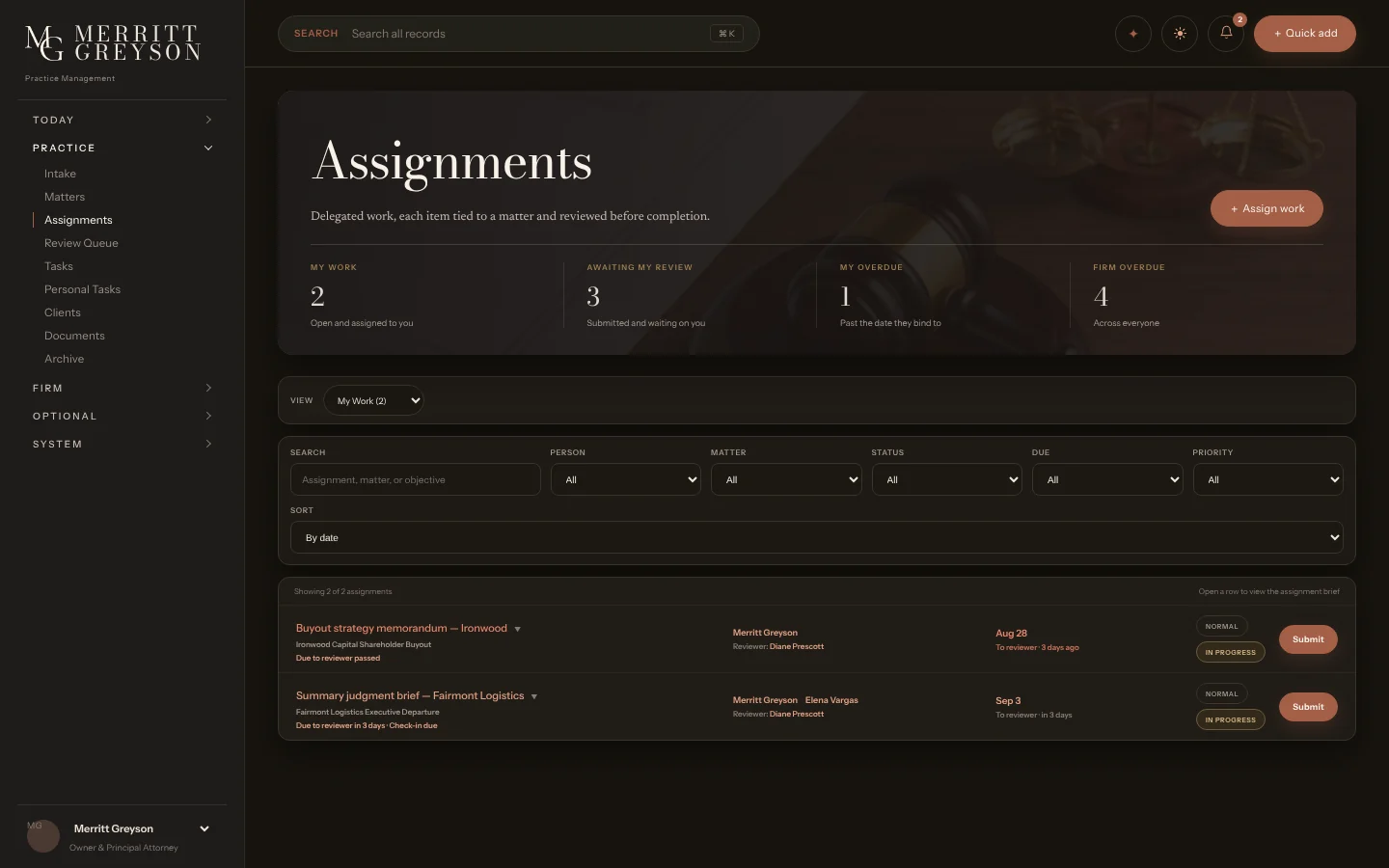
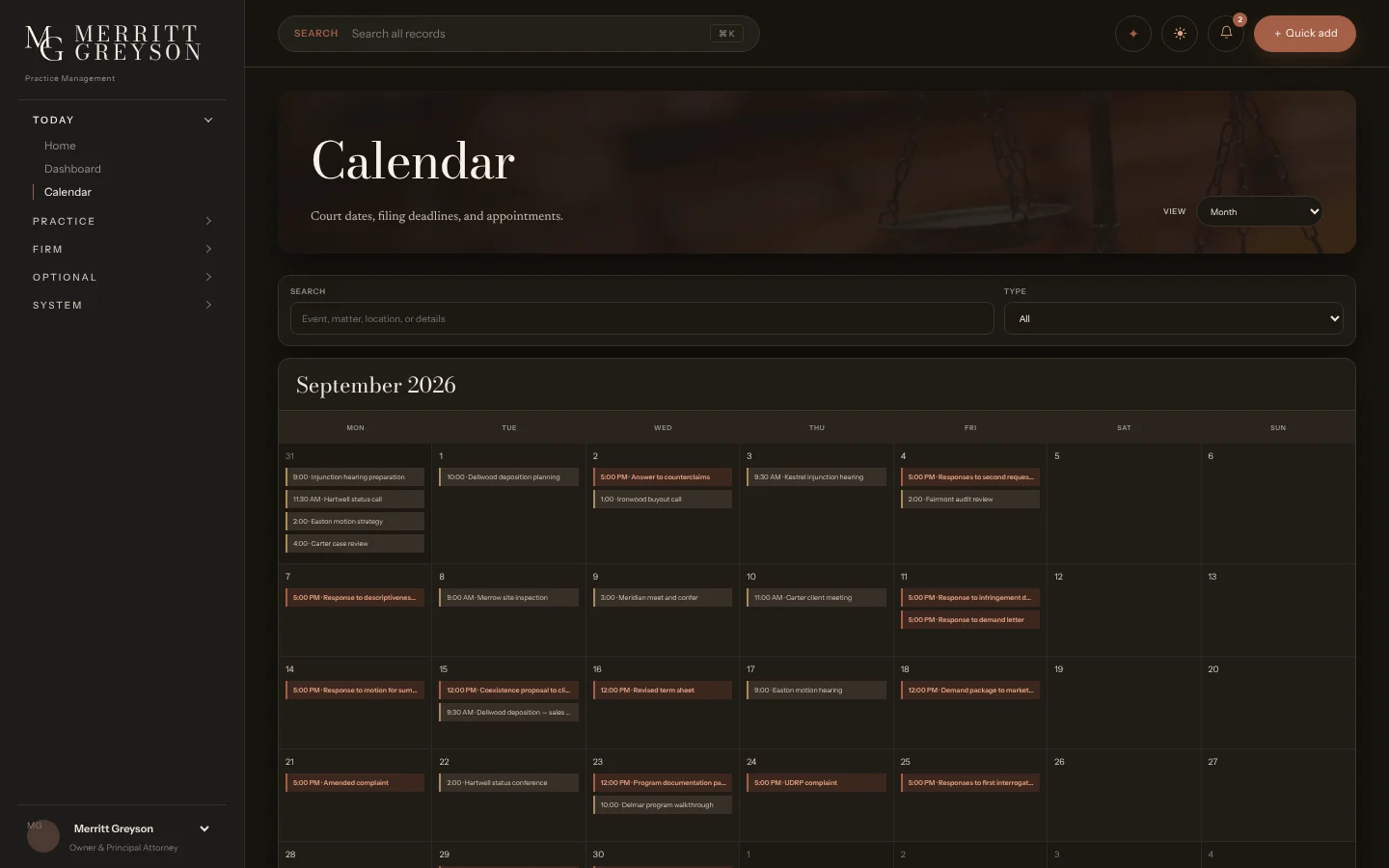
See the dates that guide the matter.
Track entered filing deadlines, hearings, benchmarks and check-ins in the matter's docket. See approaching dates alongside the work they affect.
Filter dates by type and view them on the calendar. Your firm remains responsible for confirming legal deadlines.
Firm leadership
Lead the firm.
Review workload, billable hours, referrals and internal responsibilities alongside the legal work. See what needs your attention as a managing attorney.
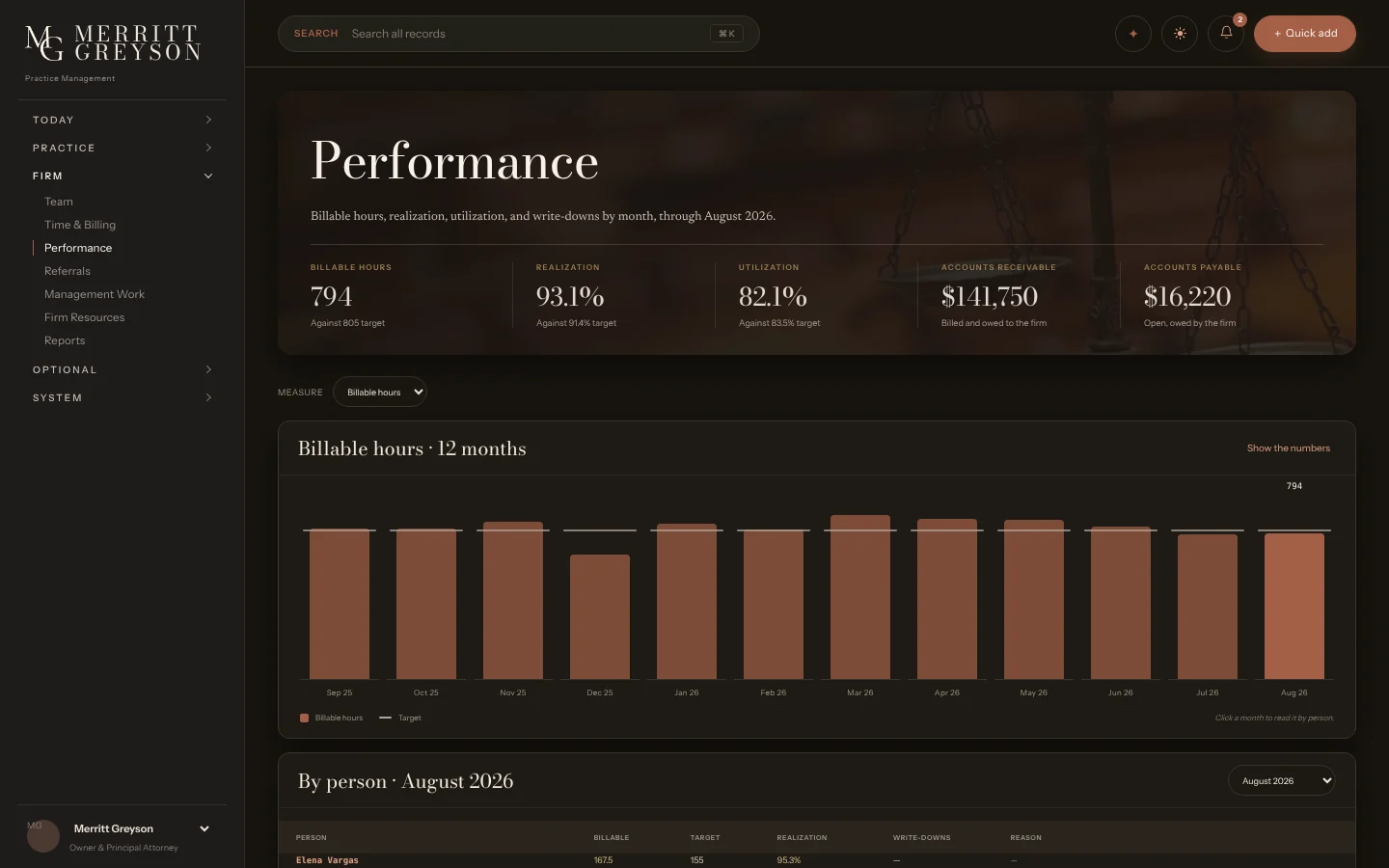
See how the firm is performing.
Review monthly billable hours, realization, utilization and write-downs by person against the firm's targets.
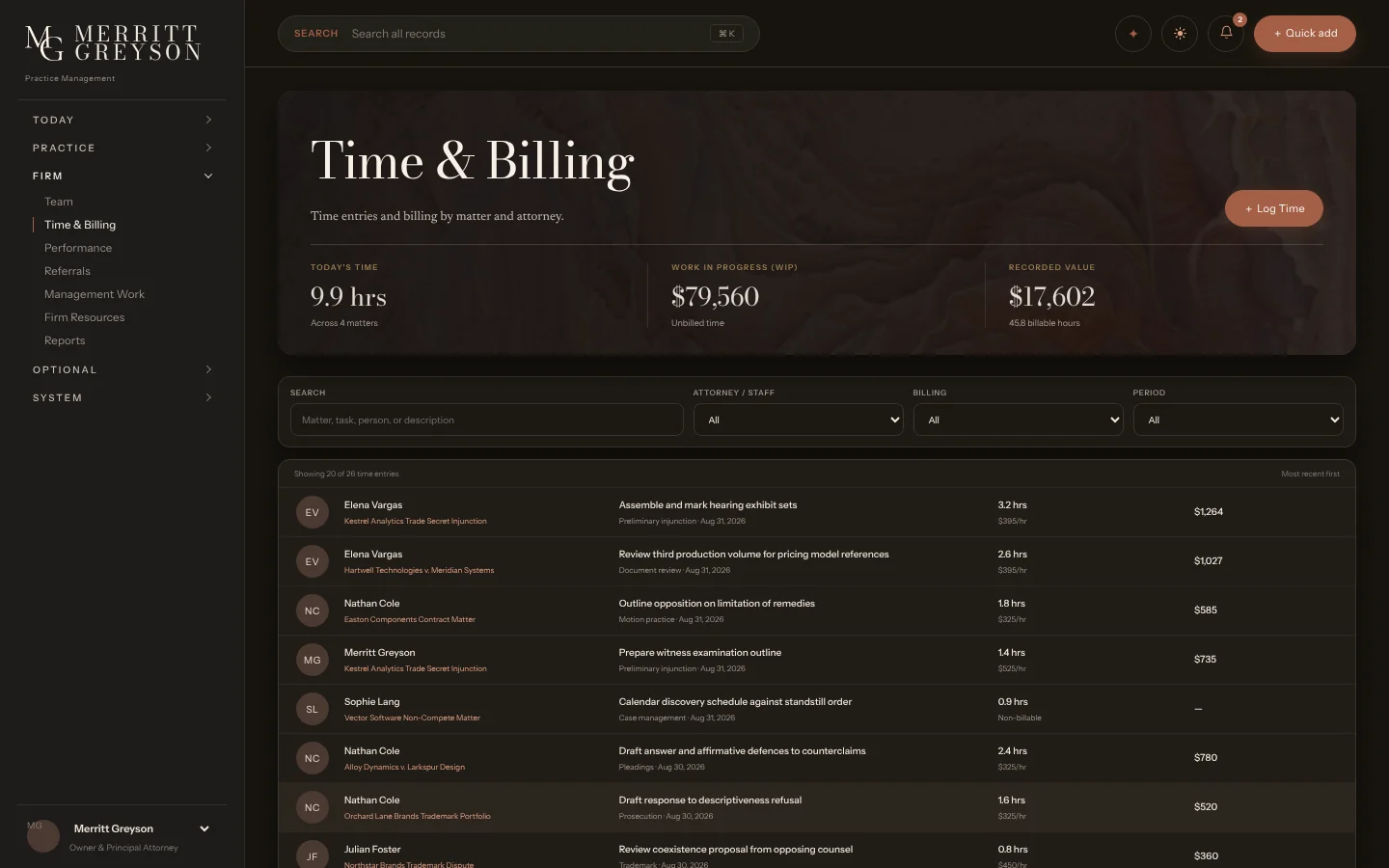
Compare the team's workload and time records as you make decisions about staffing, assignments and the next month's priorities.
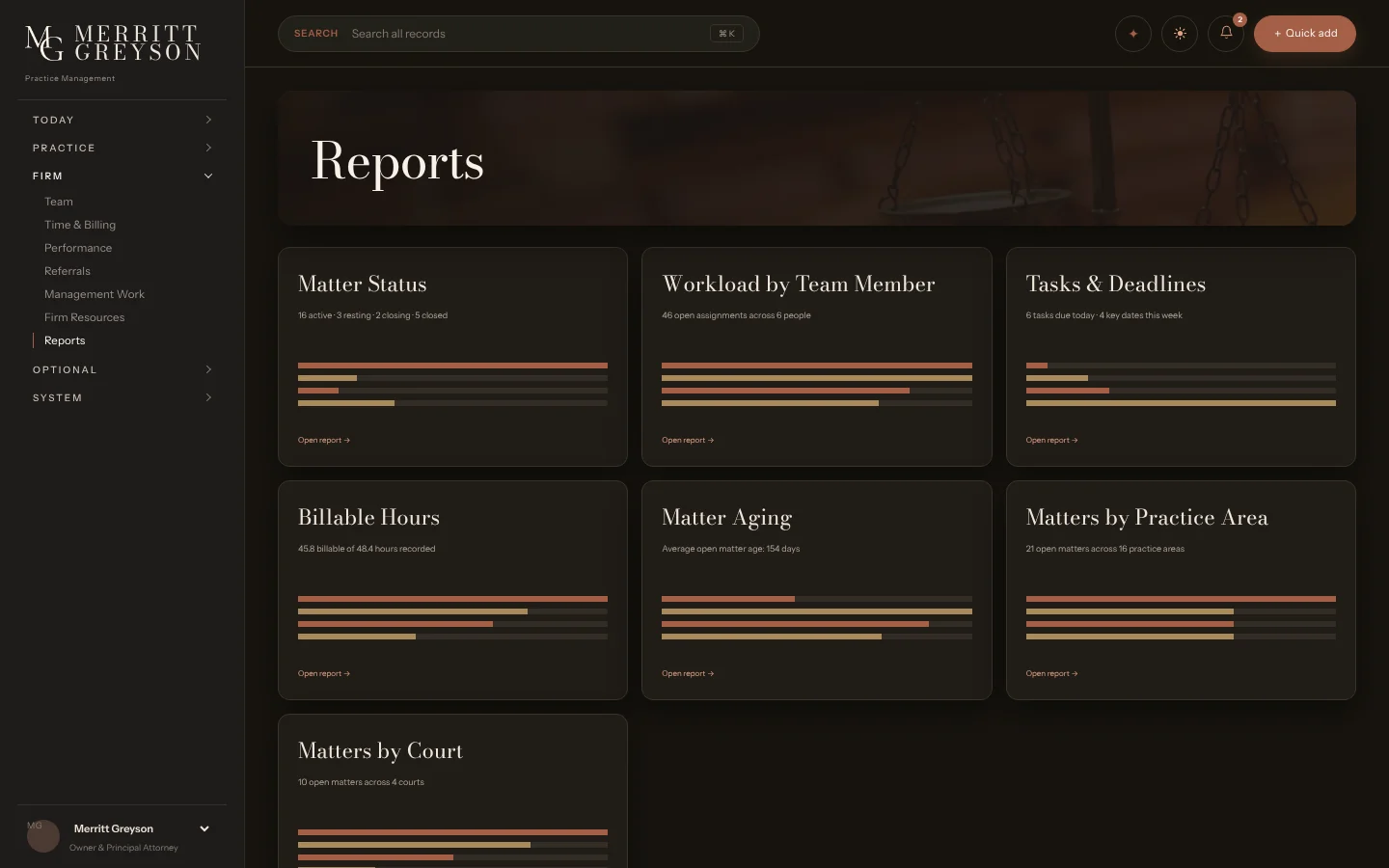
See the figures behind your decisions.
Review matter status, workload, approaching deadlines, recorded billable hours and matter aging in the report directory.
Print or export the available reports as CSV when the firm needs a record to keep or share.
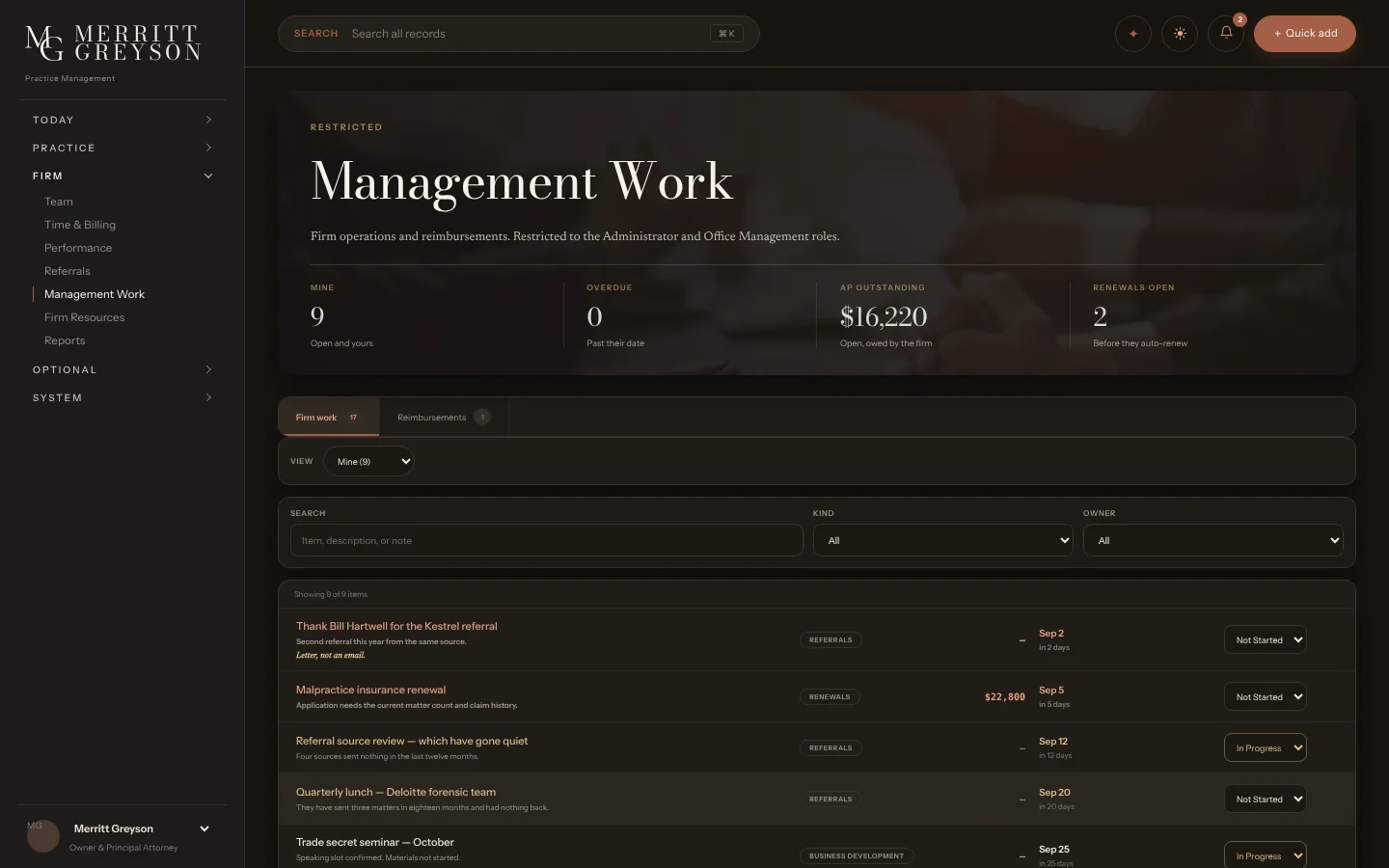
Run the business alongside the matters.
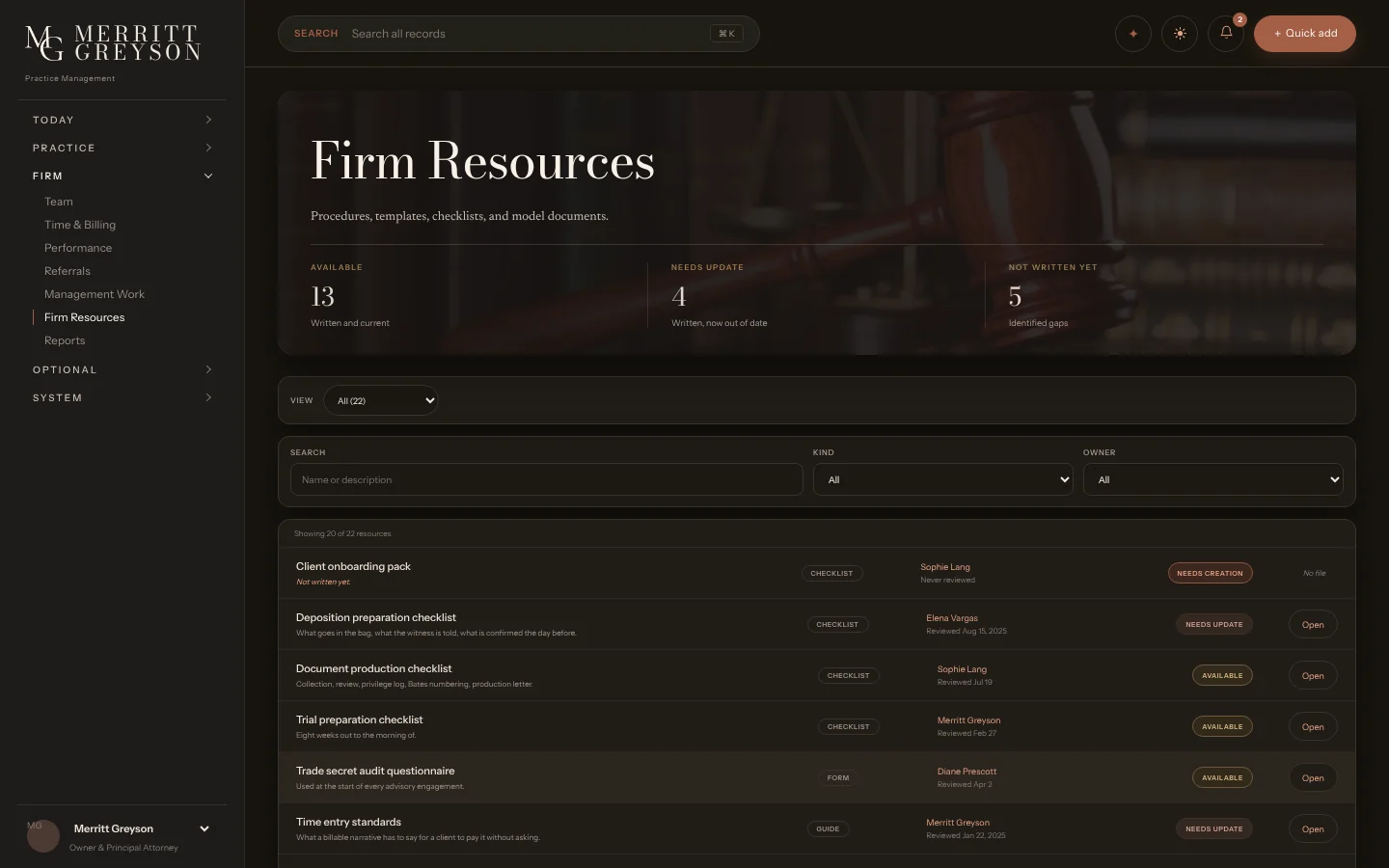
Keep firm procedures, templates, internal projects, payables, renewals and reimbursements visible alongside the legal work.
Track referral relationships and the responsibilities that keep the business running, even when they fall outside an individual matter.
Connected workflows
The rest of the practice.
Explore how intake, matter records, review, firm resources and time fit together. Receivables is included with Willow.

On every device
Your practice goes with you.
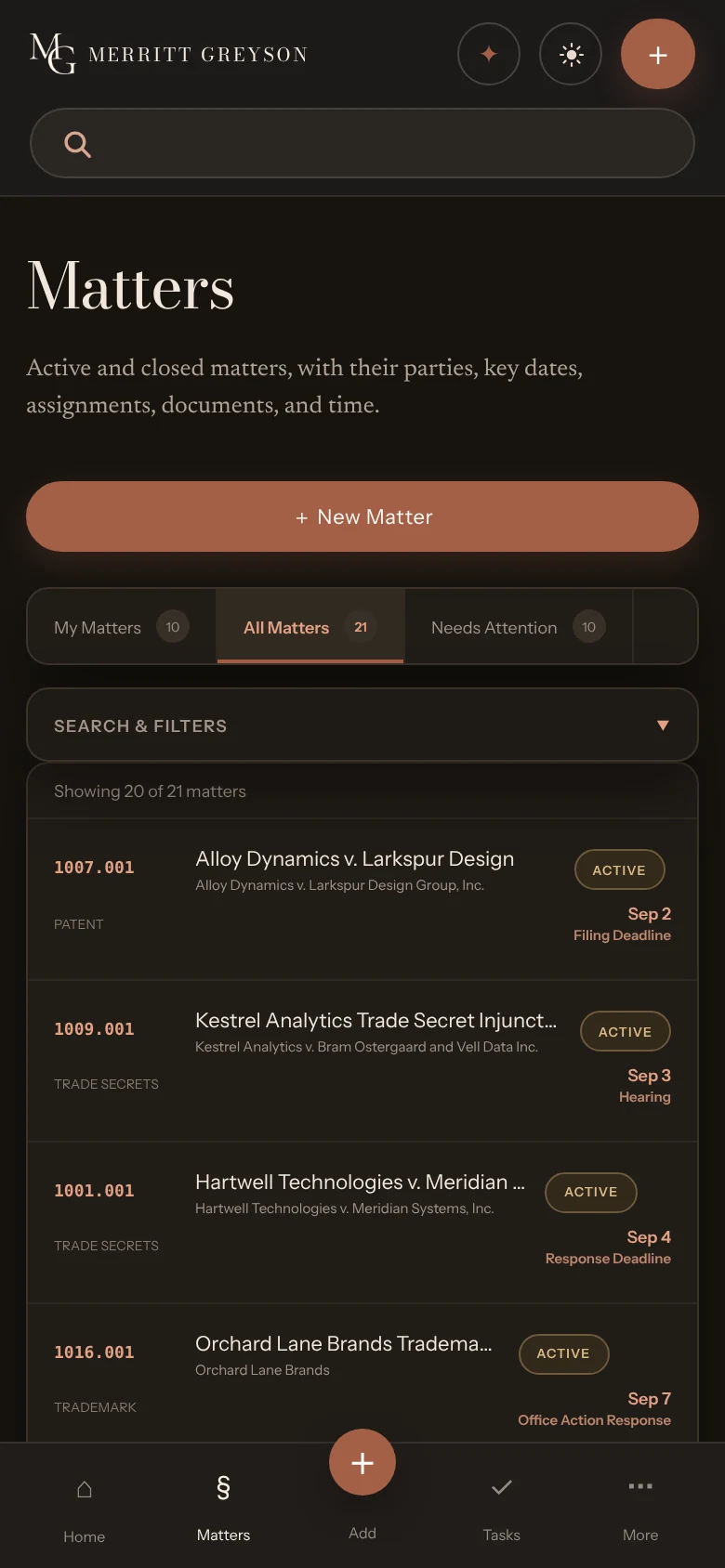
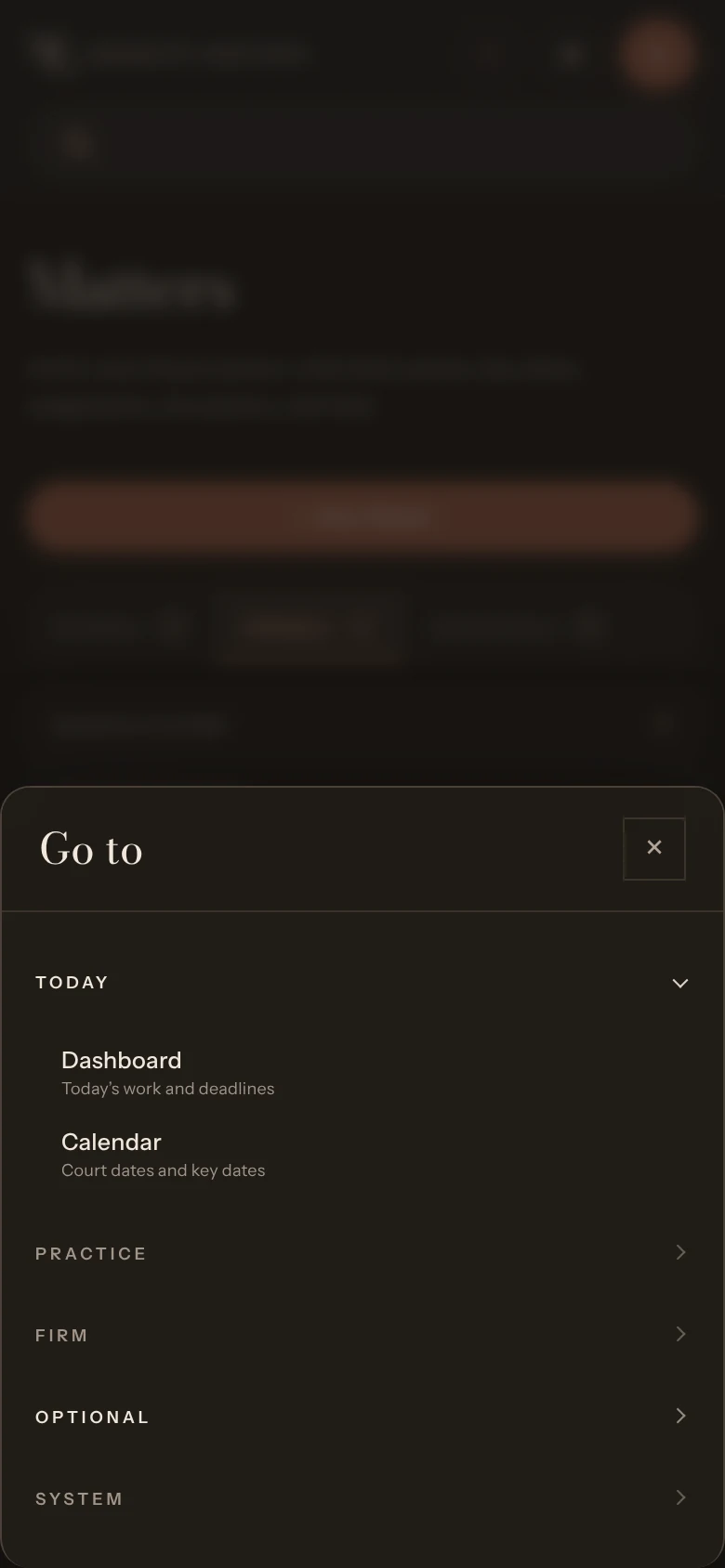
Open your matters and daily work from a mobile browser, at the office or away from your desk. Explore the responsive screens in the demo.

Your practice, at every stage
Solo practice or a team.
An especially good fit for commercial and business litigation, intellectual property prosecution and advisory practices that delegate and review legal work.
Run your practice. Make room for the law.
The independent attorney.
- Every matter, date and document in one view
- Your own tasks and the firm's kept apart
- Review recorded time and practice reports
A clear view of the work across your team.
Collaborating attorneys and staff.
- Delegate work and review it before it closes
- See the whole team's workload at once
- Role-aware views for attorneys and staff
A clearer view of firm performance
Wider management across the practice.
- Firm health by month and by person
- Referral relationships, matter volume and value
- Management work tracked like legal work
Trust and data
Data, access and your agreement.
We discuss data ownership, export, retention, access, confidentiality and support terms with your firm before you commit. Production arrangements are agreed and verified before live client data is introduced.
Willow tracks entered deadlines and conflict-review status. Your firm retains responsibility for court-rule calculations and actual conflict checks. The core workflows run without generative AI.
Getting started
Four steps to your workspace.
You create your firm and bring in your records yourself. If you're switching systems, you choose which records to bring and preview them before they come in.
Create your firm
Enter your firm name and your own account. Your workspace opens with your firm’s name on it.
Subscribe
$79 a month for your whole firm. No setup fee.
Bring your records
Import clients, matters and key dates from a CSV file, including a Clio export, or add them by hand.
Invite your team
Invite attorneys and staff by email and choose their access. Support is available from 9 a.m. to 10 p.m. Eastern time.
Pricing
One monthly price for your firm.
$79 a month for your whole firm, whatever its size. No setup fee.
- Connected matters, clients and dates
- Assignments, reviews and team workload
- Time, documents and personal tasks
- Firm resources and reporting
- Import from a CSV file or a Clio export
Every firm gets the same Willow features.
Switching
Plan the move around your records.
Your firm chooses the records it wants to bring and imports them from a CSV file, including a Clio export.
Export
Export your clients, matters and key dates as CSV from your current system.
Match
Willow matches your columns to its fields, including Clio’s headings. Change any match from a list.
Preview
See every row before it comes in. Rows with problems are listed by row number, and records already in Willow are skipped.
Invite
Invite your attorneys and staff by email. Support is available from 9 a.m. to 10 p.m. Eastern time.
Questions
Questions before you choose.
How do we get started?
Create your firm at app.willowforlaw.com, subscribe, import your records and invite your team. Support is available from 9 a.m. to 10 p.m. Eastern time if you have questions.
Do you sign an NDA?
Yes. We sign an NDA before you share confidential client or matter information. Your initial inquiry can describe your practice and priorities without naming clients or sharing case documents.
How long before we can start using Willow?
We confirm your launch date after reviewing your setup and migration requirements. Your written scope includes the work, the information needed from your firm and the review steps before launch.
Can I try it first?
Do I have to move my accounting?
Does it calculate deadlines or run conflicts?
Can I switch from Clio?
Does the firm control its data?
How does Willow use AI?
Can staff have different access?
Your next step
Start your firm today.
Create your firm, bring in your records and invite your team. $79 a month, no setup fee.