Your records
Your agreement states who owns your client and matter records, how you can retrieve or export them, and when records are retained or deleted.
TRUST & DATA
Every attorney and staff member has a named account, invited by your firm’s administrator. Your agreement puts the details in writing, from where your matter files live to who can see them and how you can retrieve them.
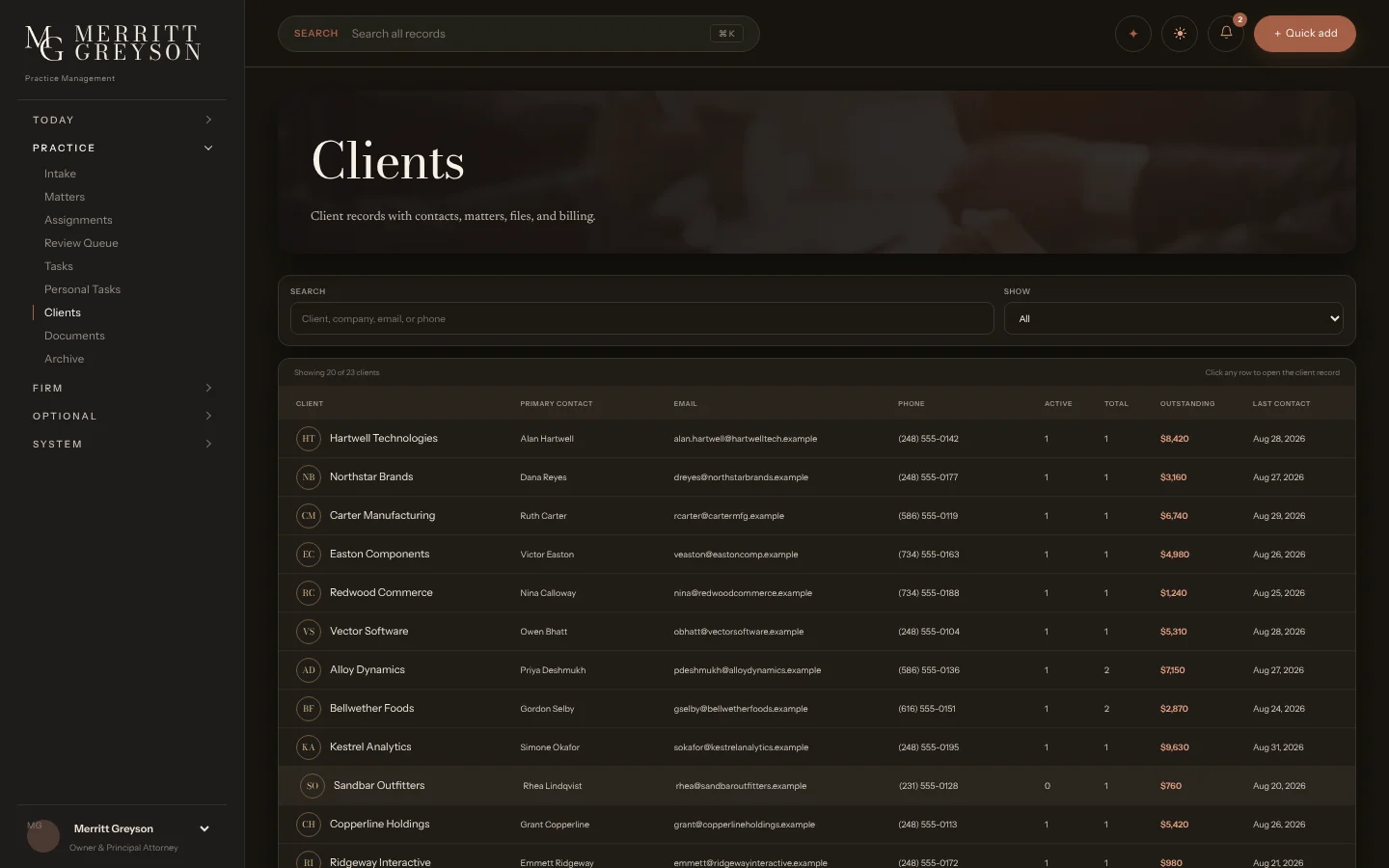
Actual Willow demo screen. Fictional firm data.
YOUR AGREEMENT
You receive the written terms for your firm before you commit. See what your Willow agreement covers.
Your agreement states who owns your client and matter records, how you can retrieve or export them, and when records are retained or deleted.
We name the providers and locations for your Willow workspace and document storage.
We document who can sign in, what each role can access, and how we handle any restrictions on individual matters.
Your agreement describes encryption, backups, recovery testing and how we respond to a security incident or outage.
We spell out when FabrizioTech or a service provider can access firm data and the confidentiality terms that apply.
After launch, support is available from 9 a.m. to 10 p.m. Eastern time. Cancel anytime from Settings. Access continues through the last day of the month you paid for. Your agreement explains how to export your records and when remaining records are retained or deleted.
THE PUBLIC DEMONSTRATION
Open a sample matter and see its court dates, documents and assignments together. The demo uses fictional records. Please use sample information as you explore.
PRACTICAL QUESTIONS
Yes. Willow gives each team member a named account. Attorneys, staff and administrators have access based on their roles. Your agreement spells out how we handle any matter-specific restrictions.
Willow does not offer native trust accounting. Willow includes time tracking and receivables. Keep IOLTA and other trust accounting in your accounting system.
Willow tracks dates entered by the firm, including filing deadlines, hearings, benchmarks and check-ins. It does not calculate deadlines from court rules. Your firm remains responsible for confirming legal deadlines.
Willow records conflict-review status and highlights outstanding reviews. It does not perform automated conflicts searching. Your firm retains responsibility for its conflict-check procedure.
Your Willow agreement names the hosting and document storage providers and locations. It also covers team access, backups and recovery.
Your Willow agreement states who owns your client and matter records, which export formats are available, and how to retrieve your files. It also explains when records are retained or deleted after cancellation.
AI is optional. You can request an AI assistant that uses your firm's own AI provider key.
Merritt Greyson is the fictional demonstration firm. The screenshots and interactive example show Willow’s workflow, not a customer endorsement or actual firm performance.
YOUR PRACTICE. YOUR WORKSPACE.
Explore the working demo, then speak with us about your practice, your team and the way you want to work.